Rooms
Find devices and sensors in the rooms configured on your CCU.
Features
MyCCU brings the data from your existing CCU3 or OpenCCU into a mobile Android interface. The controls shown depend on the data points provided by your devices.
View setupEveryday use
Find devices and sensors in the rooms configured on your CCU.
Open frequently used channels and programs from your CCU favourite group as tiles.
Browse loaded devices and channels by purpose, such as lighting or heating.
See values and states from your CCU at a glance.
Control
Control suitable writable switch channels directly in the app.
Adjust the brightness of supported dimmers.
Move and stop supported channels. Available controls depend on the device.
View CCU programs and deliberately start them from the app.
View loaded system values; controls depend on the individual data point.
Read temperature, humidity and other available values.
Connection
MyCCU connects directly to the XML API of your CCU3 or OpenCCU. Away from home, you need a VPN connection to your home network.
No MyCCU cloud is required for local CCU control. See the setup requirements.
Customisation & help
Adapt the appearance and tiles to the way you use the app.
Explore the interface with fictional sample data without a reachable CCU.
Test the connection and create a report for your own troubleshooting.
A random Support ID containing no CCU credentials can temporarily enable extra diagnostic views. You decide whether to share a report.
Preview
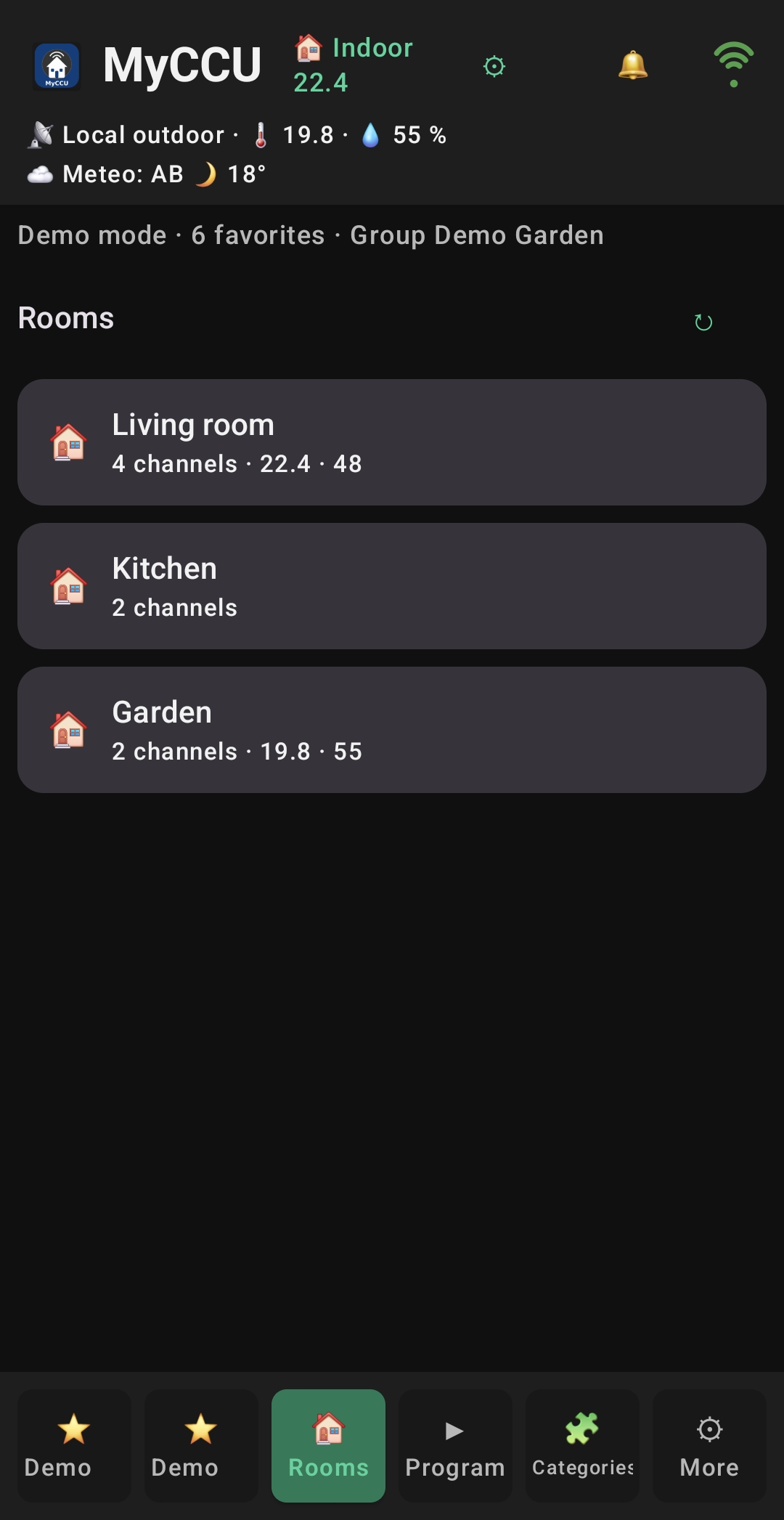
Go from the overview to the right device.
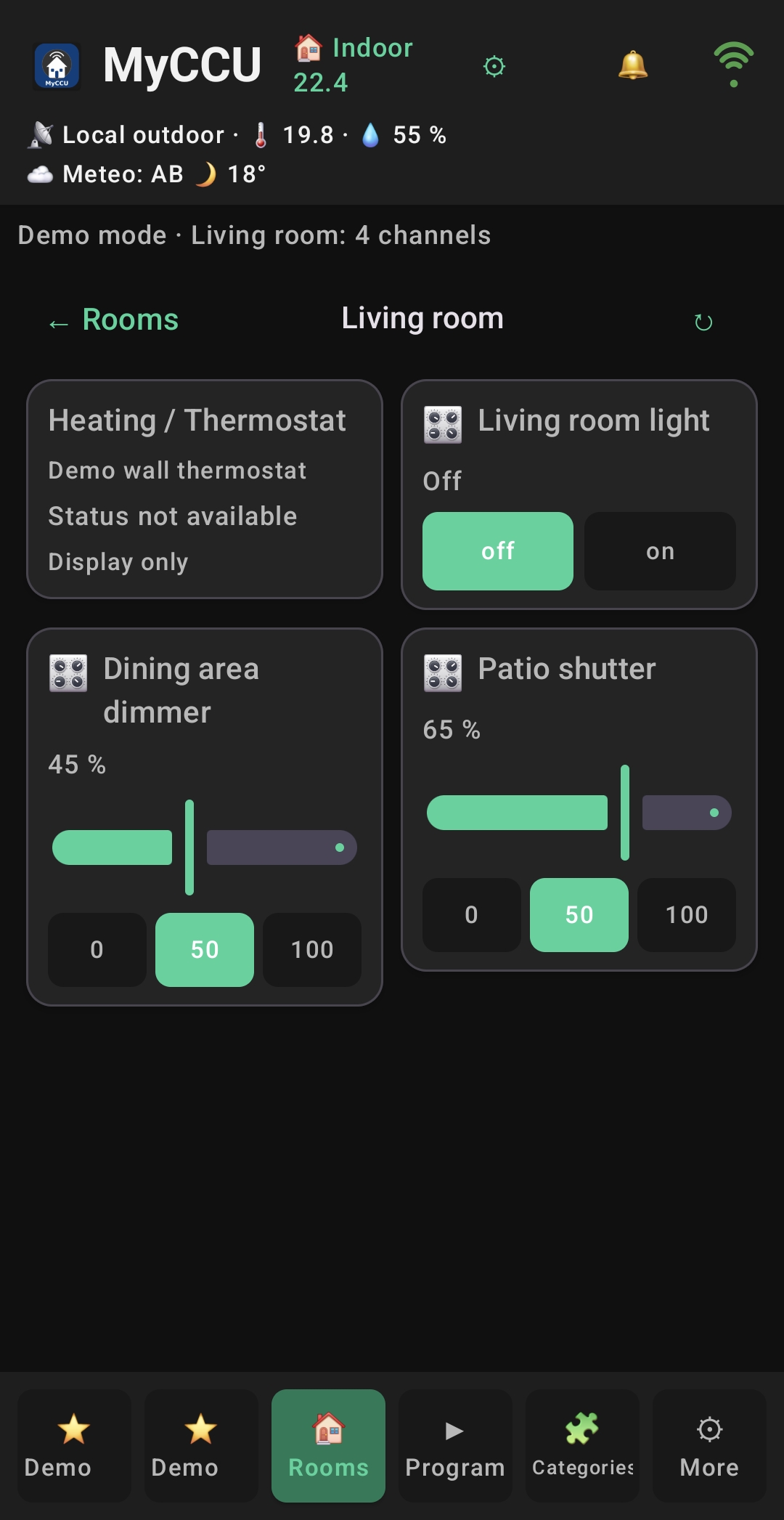
Use functions where they belong.
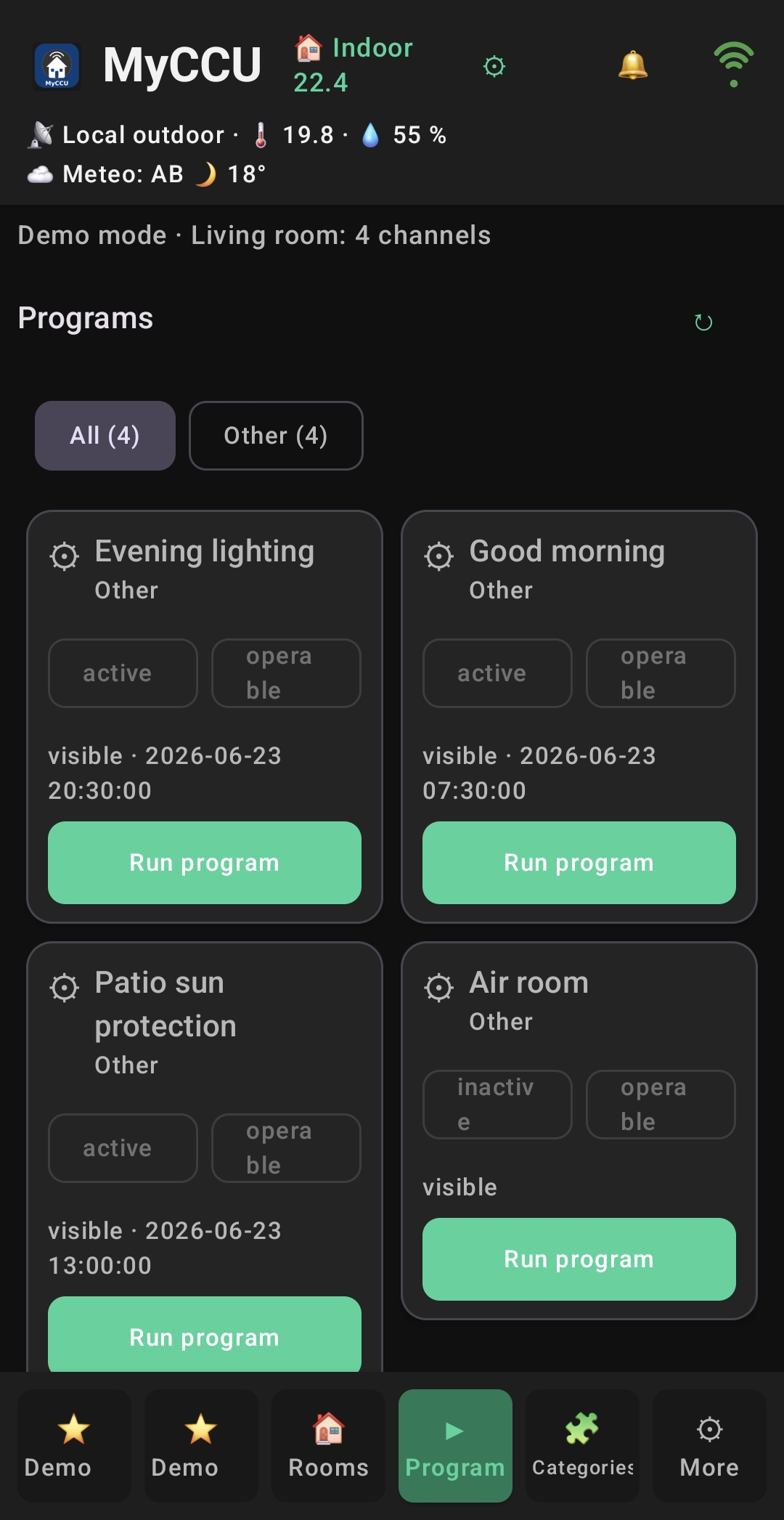
Keep important routines within reach.
The images show real app screens with fictional demo data from an earlier test version. Current screens may differ.
Next step
You need a CCU3 or OpenCCU with the XML API add-on and a token. Alternatively, start with demo mode.