Support
Get help
Having trouble connecting or using a feature? Start with the setup guide and the connection test in MyCCU. For personal help, email:
Useful details to include
- App and Android versions
- What you did and what happened
- The affected area, such as favourites, rooms or programs
- A screenshot without credentials, if useful
- Optionally, a diagnostic report you have checked under More → Diagnostics
Please do not send
- XML-API tokens
- Passwords or VPN credentials
- Other access credentials
- Unredacted private information in screenshots
How the support process works
- Share your Support ID: You can find it in MyCCU under More → Diagnostics. Only share it with MyCCU support when it is needed for your request. It identifies this app installation for support access and contains no CCU credentials.
- Temporary Expert access: Support can grant time-limited access to Expert mode for this Support ID. The permission expires automatically.
- Check access yourself: Tap Check support access in the app. You can then enable Expert mode yourself; support does not switch it on automatically.
- Create the diagnostic report yourself: Expert mode provides additional technical diagnostic information. You create and copy the report yourself and decide whether to send it to support.
What support access does not do
- It does not provide remote access to your CCU or home network.
- It does not automatically transmit complete CCU diagnostic data.
- It does not allow remote control of devices or programs.
- XML API tokens, SIDs and Google purchase tokens must not be included in the support report.
The permission is used solely to make additional diagnostic features available in MyCCU. An EXPERT/DEVELOPER report may contain custom device, favourite, channel or tile names. Review it where appropriate before sending it; it is never uploaded automatically.
Check system status
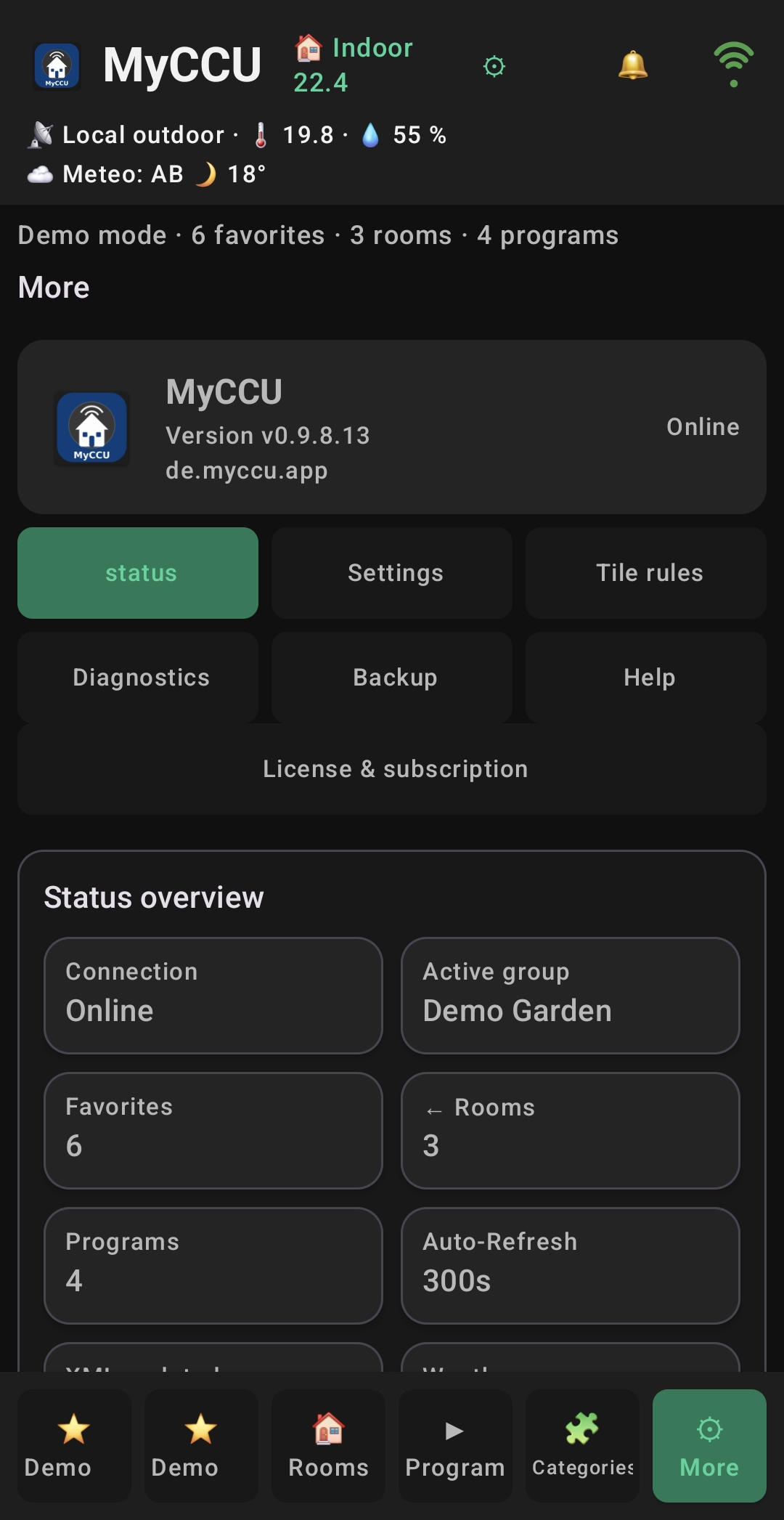
Under More → Status, you can see the connection and loaded data at a glance. The image shows an older test version; the current app may look different.
Privacy when contacting support
Support requests are used to handle your enquiry. See the privacy notice for details. You can request deletion of identifiable support data through the data deletion page.
Subscription issues
First select Restore purchases under More → Licence & subscription and check that the Play Store uses the same Google account. Do not email payment details or purchase tokens. The app version, approximate purchase time and status shown in MyCCU are sufficient to start a support request.